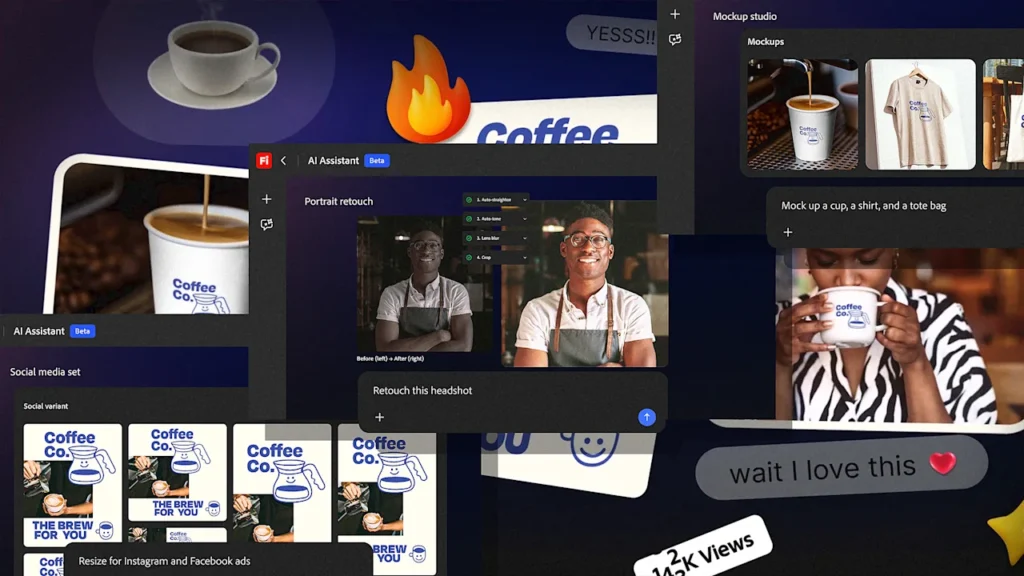
Adobe is launching its new Firefly AI Assistant for everyone this month, letting you control Photoshop, Premiere, and other creative apps just by typing what you want. Instead of hunting through menus and learning complicated tools, you can now tell the software “make this logo bigger and change it to blue” and it happens automatically.
This could completely change who gets to be a designer. For decades, Adobe’s creative software has been like a exclusive club where you needed months of training just to do basic tasks.
From Menus to Messages
The AI Assistant grew out of feedback from professional designers who were tired of doing the same boring tasks over and over. Adobe’s old “Actions” feature could replay mouse clicks, but it was rigid and couldn’t adapt to different images. Creative professionals wanted something smarter that could actually understand what it was looking at.
“We have the full spectrum covered from people coming new to our franchise and they don’t know the full power of Photoshop,” says Adobe’s Alexandru Costin. Veterans can use it to skip tedious work they already know how to do, while newcomers can create professional-looking designs without years of training.
The assistant doesn’t just follow text commands. When you need precise control, it shows you relevant sliders and options based on what you’re trying to do. It’s like having an expert sitting next to you, translating your ideas into the right technical steps.
What’s Next
This is Adobe’s first step toward making creative software as easy to use as having a conversation. If it works as promised, the days of memorizing endless keyboard shortcuts and menu locations might be numbered.